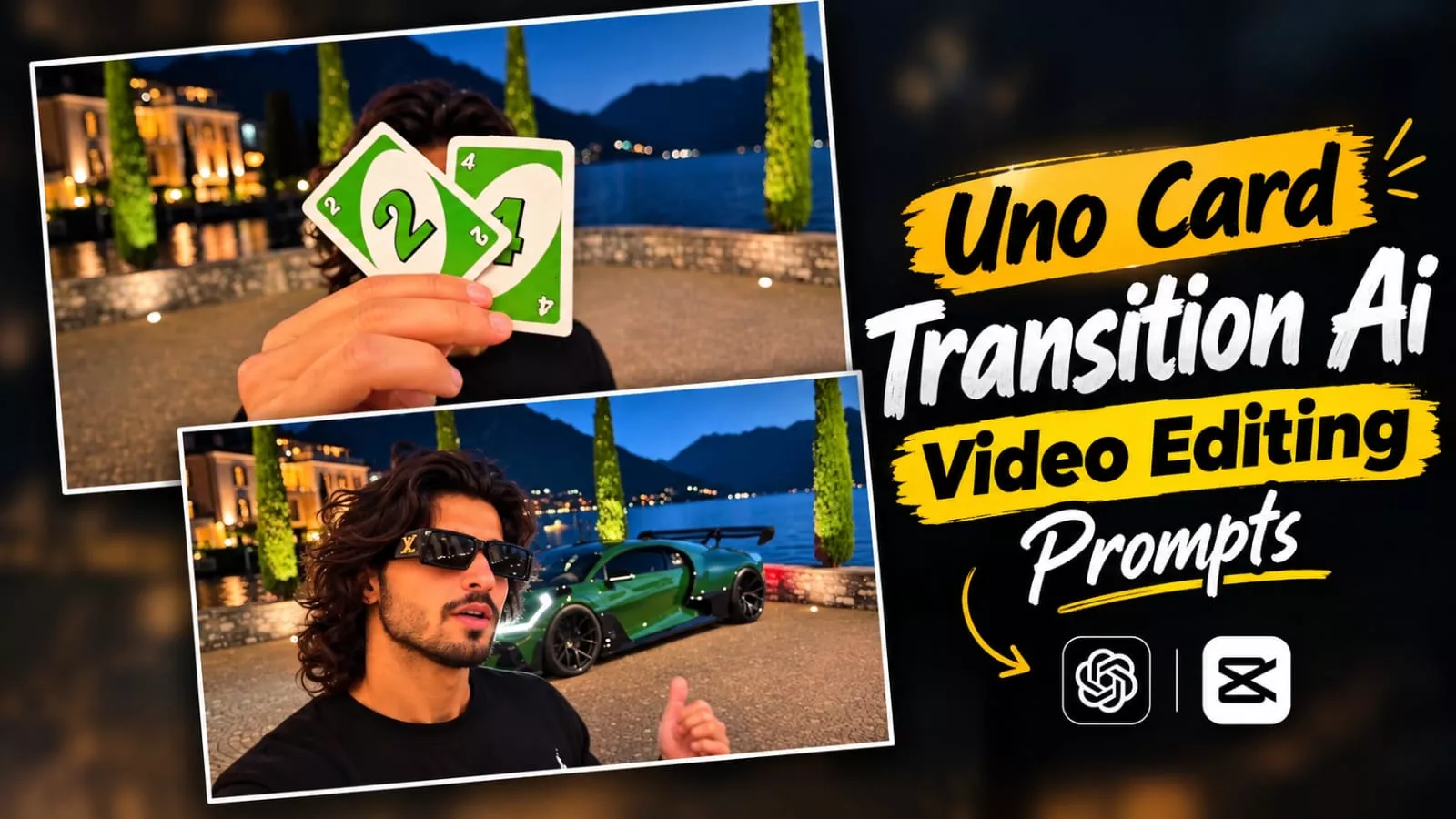
Uno Card Transition Ai Video Editing – You might have noticed that videos featuring “card transitions” are currently going viral on social media; people are gaining popularity by creating them. I will guide you through the exact steps to create a perfect video like this—completely free of charge. We have a free method that we’ve thoroughly tested and that works really well. You will just need to make a few minor adjustments, as you won’t get a “ready-made” perfect result right out of the box; simply follow my instructions as we proceed to create it.
Details Of Uno Card Transition Ai Video Editing
Let me explain what this “card-based editing” trend involves. Essentially, the video starts with you stepping into the frame from the side, holding a card. You hold the card up to the camera, and as you lower it, a car—linked to the specific card—magically appears behind you, which you then reveal. It is a unique trend. If you want to create a video like this featuring your favorite car, it is entirely possible. You can make it easily, though many people fail to execute it correctly, leading to inconsistent results. If you want to create a high-quality video, simply follow this method.
Process of Creating This Video
I have explained the editing process and what it entails; now, let’s look at how to create it using Google Flow. If you want the best results, make sure to follow all the steps. The methods I demonstrated yield good results, but if you want even better outcomes, be sure to follow the second process as well—it makes the video look truly perfect. Let me show you how to do it.
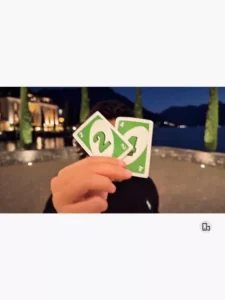
Green 07 Card Reveal with Pink Mercedes-Benz G-Class

Use the uploaded male reference photo as the exact identity reference. Recreate the provided reference video as closely as possible, replacing the original woman with the man from the uploaded reference photo. Preserve the original video's actions, timing, camera angles, composition, sunset lighting, desert roadside, vehicle reveal, and natural movement.

VIDEO SETTINGS

- Aspect ratio: Vertical 9:16
- Duration: Approximately 11 seconds
- Style: Photorealistic, cinematic, realistic physics
- Camera: Smooth handheld-style cinematic movement
- Motion: Natural, continuous, and physically realistic
- Identity: Preserve the exact recognizable face of the uploaded male reference

Scene 1 (0–2 seconds) — Desert Roadside Introduction

A cinematic desert roadside at sunset. The sky has beautiful orange and purple tones, with distant mountains, utility poles, and an empty paved road.

The male subject stands in the foreground wearing stylish white-framed sunglasses and a fitted white sleeveless shirt. His face, skin tone, age, and facial proportions must match the uploaded male reference photo.

Begin with a medium close-up from a slightly angled side view. The camera naturally moves toward a front-facing angle as the man looks casually toward the camera.

CRITICAL BACKGROUND RULE: The pink Mercedes-Benz G-Class must be completely invisible during this scene. Do not show any part of the vehicle, including its roof, windows, wheels, bodywork, or reflections. The background must look like an empty desert roadside. Do not place the vehicle in a visible position behind the man.

Scene 2 (2–4 seconds) — Green Plastic Card with Number 07

The man naturally extends one hand toward the camera, holding exactly ONE rigid, rectangular, green plastic card between his fingers.

Exact Card Design

The card must have the following appearance:

- Solid emerald-green or bright green color.
- Made of rigid plastic, similar to a premium access card or identification card.
- Standard rectangular card shape with straight edges and slightly rounded corners.
- A smooth, glossy plastic finish with subtle realistic reflections.
- Large, clearly visible white digits 07 printed in the center.
- The number must read exactly “07”, including the leading zero.
- The digits must be sharp, correctly oriented, and easy to read.
- No additional text, letters, logos, symbols, currency markings, or other numbers.
- The card must look thick and solid enough to be a real plastic card, not a thin sheet of paper.

Card Movement

The man slowly brings the green card toward the center of the camera lens. His fingers naturally grip the lower edge or one side of the card without covering the number 07.

The card moves closer until it occupies most of the frame and completely blocks the camera's view of the background and the man's face.

For a brief moment, the camera sees a close-up of the green plastic card with the white number 07 clearly visible in the center.

The card must remain rigid and rectangular throughout the movement. It must not bend, fold, crumple, flutter, or behave like paper.

Vehicle visibility rule: The pink SUV must not be visible before or around the edges of the card. The card should fill the camera frame sufficiently to conceal the entire background.

Scene 3 (4–7 seconds) — Card Moves Down, Car Is Revealed

Immediately after the card covers the camera view, the man smoothly lowers the SAME green plastic card downward.

The card moves down in one continuous, natural motion, gradually uncovering the scene behind it.

The pink Mercedes-Benz G-Class must remain completely hidden until the card physically moves out of the camera's view.

The vehicle reveal must follow this exact sequence:

1. The green card with the white number 07 fills the camera view.
2. The man begins lowering the card downward.
3. The camera sees only the background that is physically uncovered by the moving card.
4. As the card clears the lens, the bright pink Mercedes-Benz G-Class becomes visible behind the man.
5. After the car is revealed, the man turns his head and upper body toward it and gestures toward the vehicle.

The vehicle must NOT appear through a magical effect, automatic background replacement, fading, or a sudden jump in visibility. It must look as though the card was simply blocking the camera's view of a real vehicle parked behind the man.

Before the card clears the lens, absolutely no part of the SUV may be visible. No pink roof, no headlights, no windows, no wheels, no bodywork, and no reflections revealing the car.

Once revealed, the SUV is parked on the same desert roadside at a natural angle. It has a bright pink body, the recognizable boxy Mercedes-Benz G-Class design, realistic wheels, headlights, grille, and accurate proportions.

The man naturally looks toward the vehicle and gestures toward it with one hand. Keep the camera movement smooth and subtle, preserving the original reference video's composition and timing.

The green card remains the same object throughout. If it is still visible in the man's hand, it must retain the exact same green color and white 07 marking.

Scene 4 (7–9 seconds) — Confident Reaction

The man turns back toward the camera while wearing the same white-framed sunglasses and white sleeveless shirt.

He reacts with a confident, slightly surprised expression, briefly raising one hand near his face. His movements should include natural blinking, subtle head turns, and realistic facial expressions.

The bright pink Mercedes-Benz G-Class remains clearly visible behind him. Preserve the same sunset lighting, desert environment, vehicle position, and camera perspective.

Do not change the man's face or identity. Do not introduce any new props or unexpected movements.

Scene 5 (9–11 seconds) — Final Pose

The man turns slightly sideways and raises both hands toward his head, recreating the final action of the original reference video as closely as possible.

If the green card remains in his hand, it must retain its rigid rectangular shape, emerald-green color, and clearly printed white 07. Do not replace it with cash, paper, or any other object.

The bright pink Mercedes-Benz G-Class stays parked behind him. Keep the desert roadside, distant mountains, utility poles, orange-purple sunset sky, and cinematic lighting consistent.

End on a natural continuation of his movement, matching the final reference frame as closely as possible.

STRICT IDENTITY CONSISTENCY

Use the uploaded male reference photo as the primary source for the man's identity in every frame. Preserve his recognizable facial features, natural skin tone, age, and facial proportions.

Do not reproduce the original woman's face, hairstyle, or feminine appearance. Keep the white-framed sunglasses and fitted white sleeveless shirt consistent.

Maintain realistic anatomy, natural body movement, consistent lighting, and accurate facial details throughout the video.

STRICT GREEN CARD CONSISTENCY

The only card used in the entire video is ONE rigid, green plastic card with the exact white number 07 printed in the center.

The card must never become:

- A sheet of white paper.
- A piece of cardboard.
- Cash or banknotes.
- A currency note.
- A stack of cards.
- A phone or another rectangular device.

The number must always be 07, never 7, 01, 70, or any other number. Keep the number legible, correctly oriented, and centered whenever the front of the card is visible.

Do not add extra text, random letters, currency symbols, or logos. The card's color, shape, thickness, and printed number must remain consistent in every frame.

ABSOLUTE VEHICLE OCCLUSION RULE

Before the green card is lowered, the pink Mercedes-Benz G-Class must be completely concealed from the camera.

Do not allow the car to appear behind the man's shoulder, beside his body, around the card's edges, in reflections, or anywhere else in the frame.

While the card fills the lens, the background and vehicle must remain fully obscured.

The vehicle becomes visible only when the card physically moves down and clears the camera's field of view. The reveal must be caused exclusively by the card uncovering the background, not by the car suddenly spawning or the background changing.

NEGATIVE PROMPT

No cash, no banknotes, no currency, no paper card, no white sheet, no cardboard, no folded paper, no multiple cards, no incorrect numbers, no extra text, no distorted digits, no early vehicle reveal, no visible car roof before the card drops, no pink vehicle reflections before the reveal, no background replacement, no sudden zooms, no jump cuts, no artificial transitions, no face morphing, no extra fingers, no deformed hands, no flickering, no additional people, and no unexpected objects.

FINAL OBJECTIVE: Recreate the original reference video with the uploaded male subject, using one solid green plastic card displaying the exact white number 07. The card must completely conceal the background, and the pink Mercedes-Benz G-Class must remain entirely invisible until the man lowers the card out of the camera's view. The reveal must feel natural, physically realistic, smooth, and cinematic.
How To Generate The Ai image?
First, you need to generate an image; here is how you do it. Take a simple photo—like a selfie—and upload it to ChatGPT. You simply need to ask ChatGPT to create a character set based on that photo. It will then generate an image featuring a complete character set derived from your picture, showing you from various angles. Just save that image—which will be based on your own likeness—and then we will move on to understanding the video creation process.
How To Create This Ai video?
Creating the video is quite simple. First, visit the Google Flow website and sign up to start a new project. Click the ‘plus’ icon at the top to upload your character sheet image. Next, look for the option to paste the prompt; click the ‘plus’ icon, select the image, enter the prompt, and hit ‘generate.’ It will create your viral-style video. The results are excellent, and the process is completely hassle-free.
Conclusion
The first thing you need to do for final editing is add the generated video to any editing application. Then, make adjustments and combine it with the song. That’s it, and your final video is ready. You can post it on social media.
Thank you for reading this post! Don’t forget to check out our other posts for more trending editing ideas, templates, and tutorials.