Red Background Dialogue Capcut Template – You might have recently noticed a viral trend on social media where people transform ordinary photos into images with a red background and then convert them into videos. This style has been trending heavily online. In this article, I will explain the entire process step-by-step so that you can master this editing technique, create various versions of it, and produce unique videos. If you are interested in learning how to do this, follow along with this guide.
Editing Process Of This Video
The first step in the editing process here isn’t about using ‘cut-outs’ or ChatGPT right away; instead, you must first decide how the character will appear in the final video, as the template will handle the motion and effects later. Your entire video—and your visual identity—will be defined by that initial image. So, for instance, if you want a character with a luxurious look, you should first use ChatGPT to establish that identity—visualizing yourself seated in a black suit, exuding a royal aura.
Red Background Dialogue Capcut Template
How should the image be? Whether you are using it for a template or for its secret, then your photo should be clearly visible. That is, the photo you are using as a reference should show your face clearly and the one used in the template will have a completely different look. What will happen in it is that whatever is on your face, some mask type thing will be created which is a mask on the eyes, it will be created. It is automatic and because of this it also goes viral and the dialogues that come along with it are more unique. I have given some editing of different types of dialogues. I will also tell you how you will get the rest.
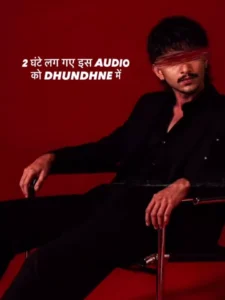
A high-end fashion editorial portrait of a stylish young man sitting sideways on a chrome chair against a deep burgundy studio backdrop. He has curly black hair, a short beard, and wears black rectangular sunglasses. He is dressed entirely in black - an oversized blazer with wide-leg trousers and black boots. The pose is calm and confident, with a slight lean back and a composed expression.The lighting is soft and cinematic, coming from the side, creating gentle shadows and a moody contrast. The overall look is minimal, modern, and sophisticated. The composition is clean with the subject positioned slightly to the right, leaving negative space on the left. The color palette is rich and monochromatic with deep reds and blacks.Shot with a full-frame DSLR camera, 85mm lens, f/2.0 aperture for shallow depth of field and creamy background separation. Ultra-detailed, sharp focus on the subject, professional studio photography, Vogue-style editorial quality.
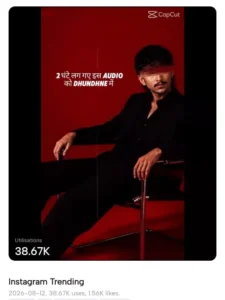
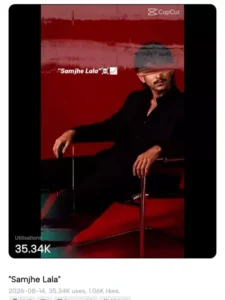
How To Create Red Background Image?
How to create an image understand it lo use a tool like chatgpt to create an image or then google gemini I tell you gemini. How to do First of all you copy the prompt from here. Then after that you have to open chatgpt or then google. Gemini in it you first paste the prompt. Now reference no way you upload the same photo in which I said that the details of your face should be absolutely correct. Her face should absolutely match yours exactly. Then generate it will make your photo ready in a few seconds and we have to use this photo in the video now.
How To Use Red Background Dialogue Capcut Template
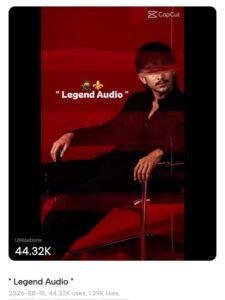
Now let’s understand how to edit it. If you want to edit it using a template, you first need to open the template here. Go to the template section and select your template. Search for red background there; you’ll find many trending editing options there, so select that one. Then, click on it. Then, select your photo and click Next. Your video will be finalized and ready. Check it to see if the editing is perfect, and then export it.
Conclusion
This is the first article on our website to introduce you to something new. You’ll also see new trending edits on our website in the future. You can create even more great edits.
Thank you for reading this post! Don’t forget to check out our other posts for more trending editing ideas, templates, and tutorials.