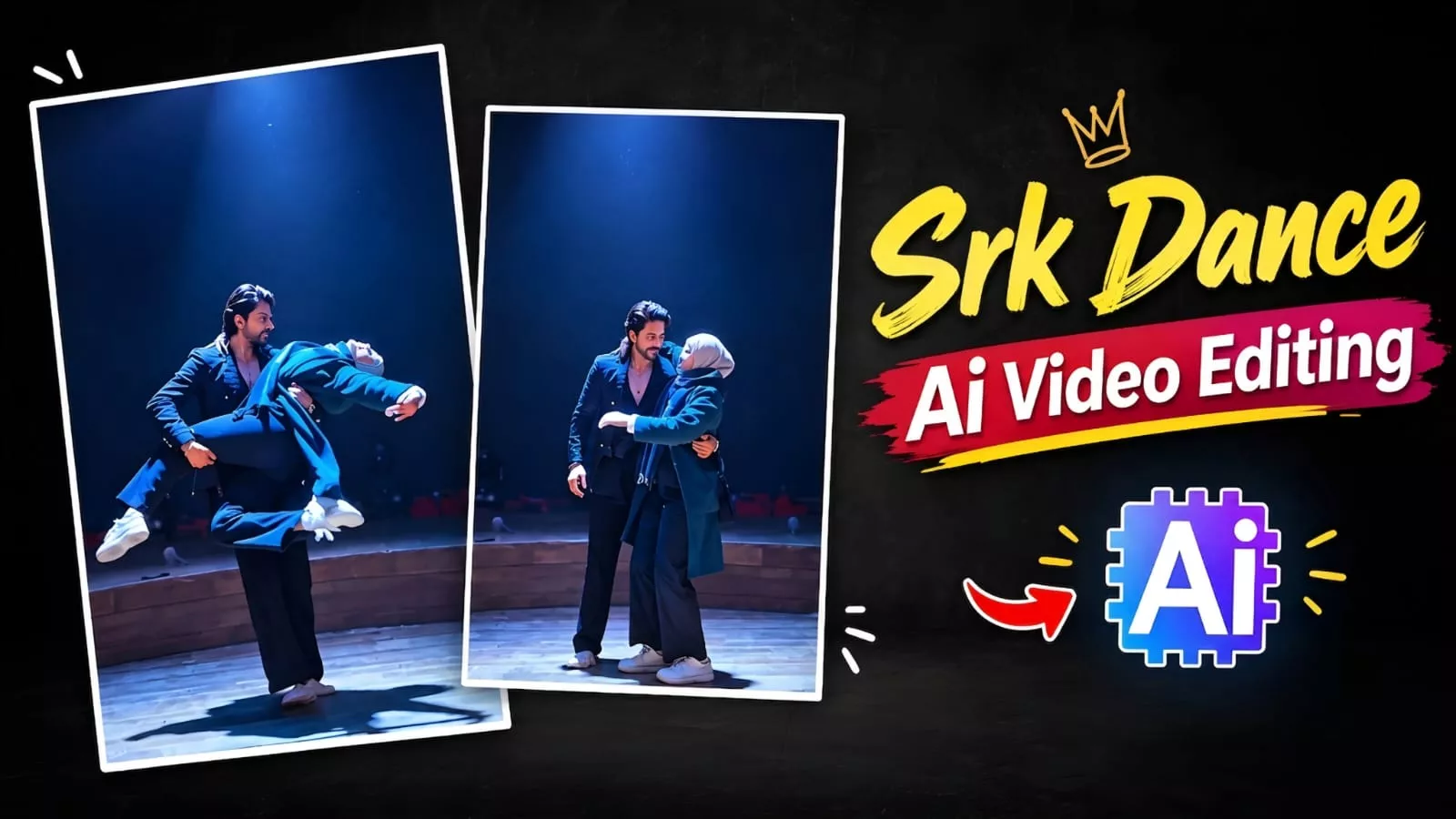
Viral Srk Dance Ai Video Editing Prompt – How will you see it on Instagram right now? The dance video with Shah Rukh Khan is going viral, and many people want to create similar editing. People want to create such viral videos, so if you also want to create such a viral video, this article will tell you how you can create such a viral video. All the methods will be explained to you. You will see the free one and the one with a subscription, whichever you like. You can follow that and create. My best method is that I create with the free one only. I edit it and improve it further. If you want to do it, we will tell you in our article. You can follow the process.
Details Of Viral Srk Dance Ai Video Editing Prompt
This editing is going to be done with total motion control. Meaning, what happens in this is that a reference of one of your videos is used and in it you have to use two photos, so you have to use two photos there. Of you and your partner and that video is as reference and from that, by controlling the motion of the dance moves, he just swaps the face in it and this creates a video of you with a perfect lion. Now, if you want to know which tools will be required for this and how to create it, then keep following the article, it will be explained further.
How To Create With Subscription-based Options?
Regarding the subscription-based options, you can use tools like Kling or Higgsfield AI. Both of these offer motion control features that allow you to create videos using either video references or your own photos; however, accessing these requires a subscription—meaning there is a cost involved. If you are able to pay for it, you can use these tools to create truly perfect videos without encountering any issues.
Character Sheet Prompt
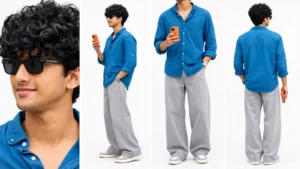
Create a horizontal 16:9 four-panel character reference sheet on a seamless white background, keeping my face, features, hairstyle and expression identical to my selfie, wearing the exact teal shirt and grey wide-leg pants from the second reference, the same Arvind Techies sunglasses from the third reference, holding an orange iPhone, with panels showing extreme face close-up, full-body profile, neck-down front view, and full-body back view, maintaining consistent proportions and styling throughout.
Srk Dance Ai Video Prompt –
Create an ultra-realistic cinematic 4K/8K vertical 9:16 dance video using the two uploaded photos as exact identity references. Preserve both faces, facial features, hairstyles, body proportions, skin tone and identity perfectly throughout, with zero face drift or morphing. The man wears a black textured blazer, black button-down shirt, black trousers and is barefoot; the woman wears a teal-green long coat, blue-grey striped scarf, black trousers and beige ankle boots, with long open flowing hair. Keep the same dim circular wooden stage, deep black background and single dramatic overhead spotlight throughout, with rich natural colors, warm skin tones, deep blacks and smooth cinematic slow-motion movement. Scene 1: They hold hands and walk onto the center of the stage. Scene 2: They face each other, hold hands and gaze warmly into each other’s eyes. Scene 3: They raise their joined hands and smile. Scene 4: He lifts her and completes one smooth full 360° spin; her hair, coat and scarf flow naturally. Scene 5: They hold hands with arms extended and lean back joyfully. Scene 6: He performs a graceful controlled dance dip, her hair cascading downward, then gently brings her upright. Scene 7: He lifts and securely carries her through one smooth 360° rotation, then gently lowers her into a close embrace as the camera slowly zooms out. Maintain perfect character and outfit consistency, realistic fabric and hair physics, graceful full-body choreography, seamless transitions, no jerky motion, no scene skipping, exactly 7 scenes, premium cinematic quality.
How To Create With Free Version?
For the free version, first copy the image prompt provided here. Then, open ChatGPT and upload separate photos of yourself and your partner one by one; for instance, upload a photo and paste the prompt to generate a 3D model. Save the generated photos for both individuals. Next, to create the video, copy the video prompt provided here. Then, open the website linked here—you can access it directly by clicking the link. Go to “New Project,” click the plus (+) icon, and upload the photos you generated in ChatGPT. Finally, select both photos, paste the video prompt, and generate the video to get your finished result.
Conclusion
Now, you can work on the editing here. Import this footage into CapCut, add the song, and sync the video with it. Next, trim out any extra parts that shouldn’t be in the final edit. Then, add slow-motion effects to your video—specifically, use the ‘Graph’ slow-motion feature; this will make your video look even more perfect.
Thank you for reading this post! Don’t forget to check out our other posts for more trending editing ideas, templates, and tutorials.